SQLite Keeps DECIMAL Values as Floats and Sums of Prices Pick Up Rounding Errors
A shop keeps its prices in a DECIMAL(10, 2) column and checks that an order’s lines add up to its total. On SQLite that check can fail for an order of 0.10 and 0.20.
PostgreSQL, MySQL and MariaDB keep DECIMAL values exact, so the sum of 0.1 and 0.2 equals 0.3 there. SQLite has no exact decimal type: it stores 0.1 as the nearest binary fraction, the sum is 0.30000000000000004, and the comparison is false.
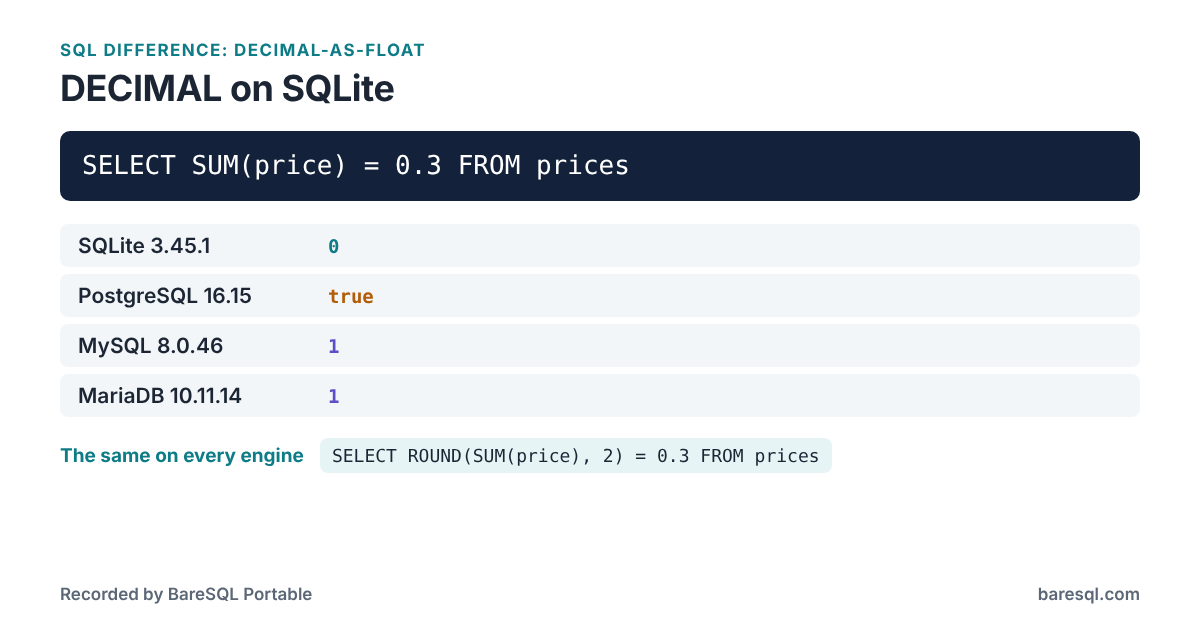
What Each Engine Answered
On a table made with
CREATE TABLE prices (price DECIMAL(10, 2));
INSERT INTO prices VALUES (0.1), (0.2);
the example
SELECT SUM(price) = 0.3 FROM prices;
gave these answers:
| Engine | Answer |
|---|---|
| SQLite 3.45.1 | 0 |
| PostgreSQL 16.15 | true |
| MySQL 8.0.46 | 1 |
| MariaDB 10.11.14 | 1 |
What to Write Instead
This form answers the same on every engine:
SELECT ROUND(SUM(price), 2) = 0.3 FROM prices;
| Engine | Answer |
|---|---|
| SQLite 3.45.1 | 1 |
| PostgreSQL 16.15 | true |
| MySQL 8.0.46 | 1 |
| MariaDB 10.11.14 | 1 |
Compare rounded values, ROUND(x, 2) = 0.3, or keep amounts as integers in the smallest unit, such as cents.
What BareSQL Portable Reports
Saved as example.sql, the example gets this from baresql lint --all:
$ baresql lint --all example.sql
example.sql:1:28: info: SQLite stores DECIMAL values as floating point numbers, so sums and comparisons can be off in the last digits. [decimal-as-float]
    DECIMAL(10, 2)
    Compare rounded values, ROUND(x, 2) = 0.3, or keep amounts as integers in the smallest unit, such as cents.
example.sql:3:8: info: SQLite stores DECIMAL and NUMERIC values as floating point numbers, so sums of prices pick up rounding errors the other engines do not have. [decimal-as-float]
    SUM(price) = 0.3
    Compare rounded values, ROUND(x, 2) = 0.3, or keep amounts as integers in the smallest unit, such as cents.

2 problems: 2 notes.
baresql rules decimal-as-float prints the same answers in the terminal, and the BareSQL Portable page lists every difference BareSQL knows.