Double Quotes Name a Column on PostgreSQL and Make a String on MySQL
A query copied from PostgreSQL that puts a column name in double quotes runs on MySQL without an error, and never reads the column.
Standard SQL quotes names with double quotes, and SQLite and PostgreSQL follow it. MySQL and MariaDB read "..." like '...' unless the ANSI_QUOTES mode is on: the query still runs and returns the same text on every row. SQLite also turns a double-quoted word into a string when no column has that name.
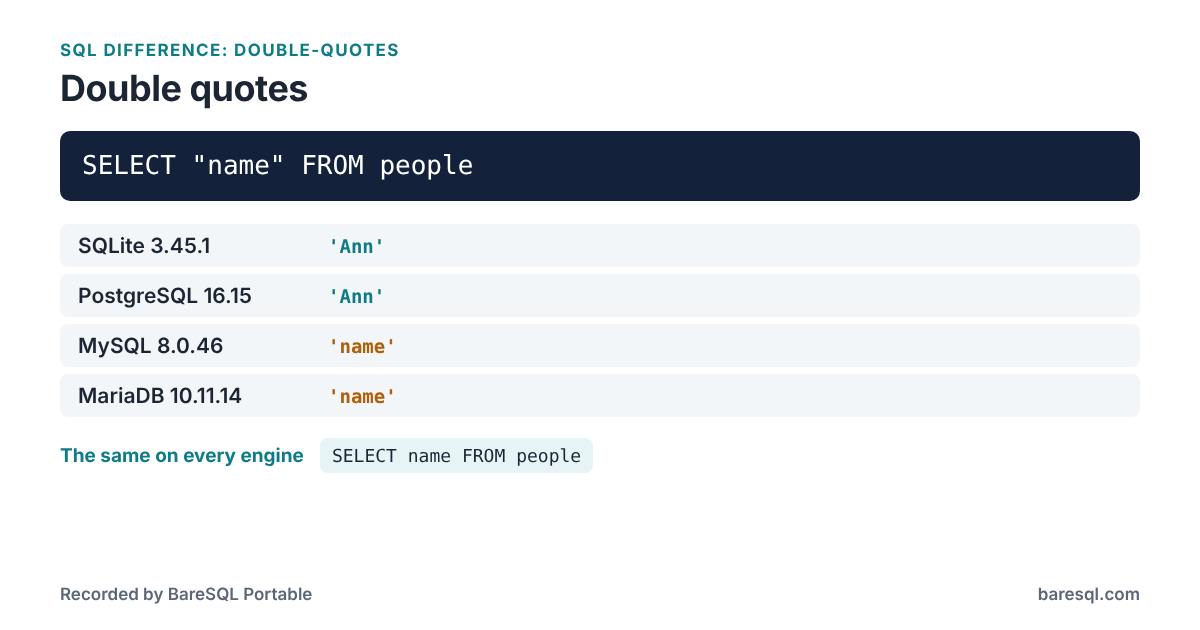
What Each Engine Answered
On a table made with
CREATE TABLE people (name VARCHAR(20));
INSERT INTO people VALUES ('Ann');
the example
SELECT "name" FROM people;
gave these answers:
| Engine | Answer |
|---|---|
| SQLite 3.45.1 | 'Ann' |
| PostgreSQL 16.15 | 'Ann' |
| MySQL 8.0.46 | 'name' |
| MariaDB 10.11.14 | 'name' |
What to Write Instead
This form answers the same on every engine:
SELECT name FROM people;
| Engine | Answer |
|---|---|
| SQLite 3.45.1 | 'Ann' |
| PostgreSQL 16.15 | 'Ann' |
| MySQL 8.0.46 | 'Ann' |
| MariaDB 10.11.14 | 'Ann' |
Use single quotes for text. For names, use plain lower-case names that are not keywords: that is the one form all four engines read the same way.
What BareSQL Portable Reports
Saved as example.sql, the example gets this from baresql lint --all:
$ baresql lint --all example.sql
example.sql:3:8: warning: Double quotes name a column on SQLite and PostgreSQL. On MySQL and MariaDB they make a string, so SELECT "name" returns the word name. [double-quotes]
    "name"
    Use single quotes for text. For names, use plain lower-case names that are not keywords: that is the one form all four engines read the same way.

1 problem: 1 warning.
baresql rules double-quotes prints the same answers in the terminal, and the BareSQL Portable page lists every difference BareSQL knows.